From Excel to a Dedicated CRM - a System for a Key Account Manager
We replaced a sprawling Excel workbook with a dedicated CRM application: a contact timeline, a sales pipeline, automated reports and a separate management panel. One source of truth instead of seven tabs.
We replaced a sprawling Excel workbook with a dedicated CRM application - featuring a contact timeline, a sales pipeline, automated reports and a separate management panel. One source of truth instead of seven tabs, no manual summing and a full history of every client. This is a case study of a project delivered for a Key Account Manager at a manufacturer in the industrial sector.
If your sales team 'lives in Excel', this article shows what really changes when a spreadsheet is replaced by a system tailored to the process.
The challenge: an entire business in a single Excel file
The Key Account Manager at our client - a manufacturer of flexible current connections and copper components - ran all client management in a single Excel file with seven tabs. In practice this meant daily friction:
- Contact history kept in a single text field with a character limit - no chronology, no filtering, no way to quickly check 'what we agreed last time'.
- Inconsistent dates entered by hand (typos like `2108` instead of `2018`, descriptive 'December/April').
- Weekly reports compiled and sent manually, activity totals counted 'by hand'.
- No relationships between client, order and product - the same data duplicated in many places.
- One file = no concurrency, no change history, a real risk of overwriting all the work with a single click.
The goal was easy to name, hard to achieve in a spreadsheet: one source of truth for clients, contacts, activities, orders and targets - with automatic aggregation and a ready-made report.
The solution: a CRM tailored to the process, not the other way around
We designed and deployed a dedicated web application (CRM) that fully mirrors how the KAM works and follows the client's visual identity. Instead of teaching a person to operate someone else's tool, we built a tool to fit their process.
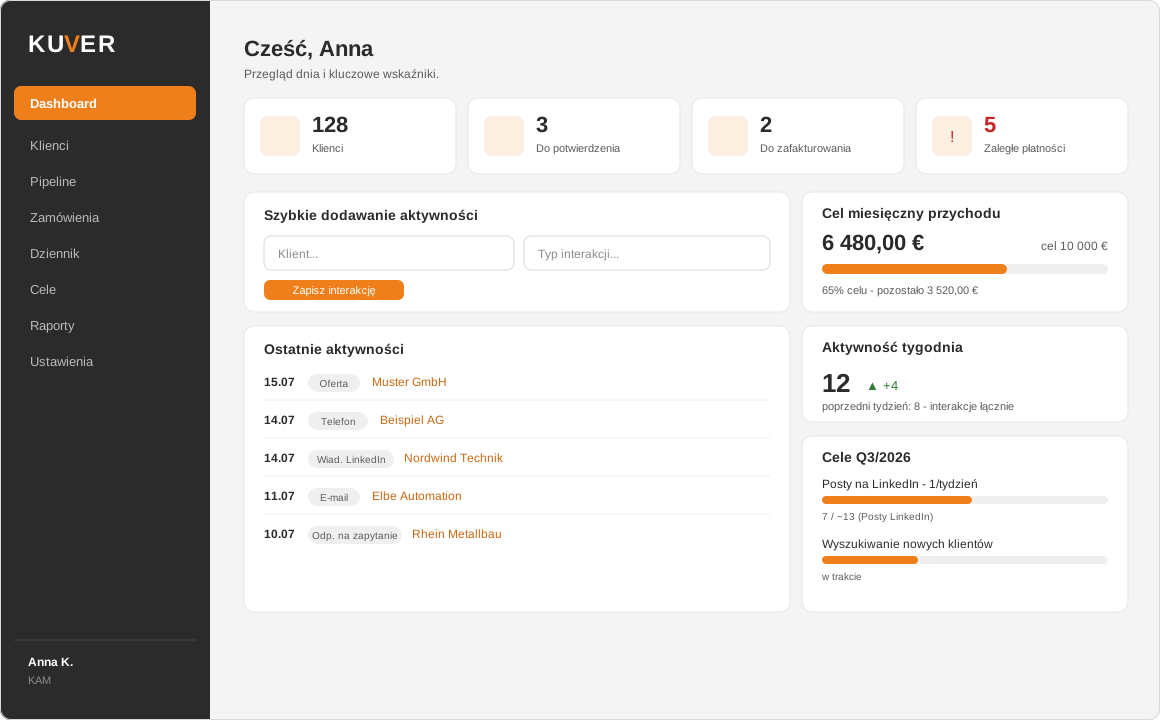
Illustrative screenshot - the data shown in the images is sample and anonymized; it does not come from a real client.
Key modules
- Clients, contacts and interaction timeline - every contact (email, phone, LinkedIn, offer) is a separate entry in a chronological timeline. The 'date of last contact' is calculated automatically, so no one has to guess when they last reached out to a client.
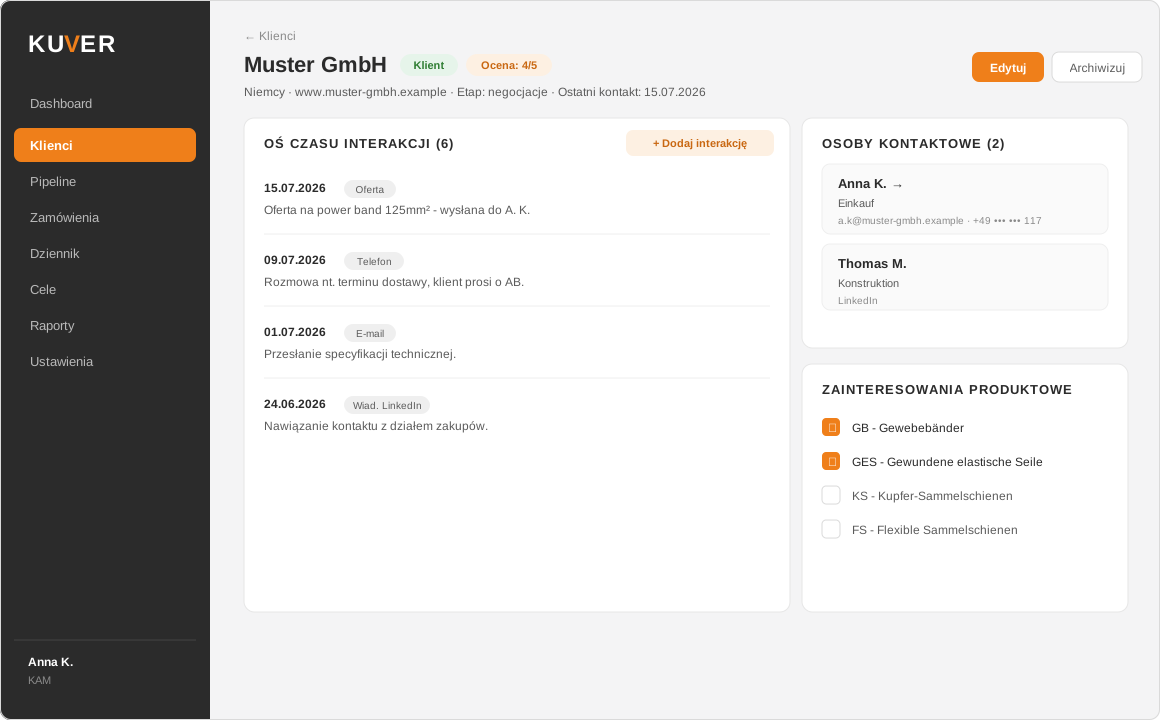
Illustrative screenshot - sample data, not real client data.
- Sales pipeline (kanban) - leads on a board of stages, dragging cards between columns and a 'needs follow-up' filter for clients with no contact for some time. You can see on one screen where a sale has stalled.
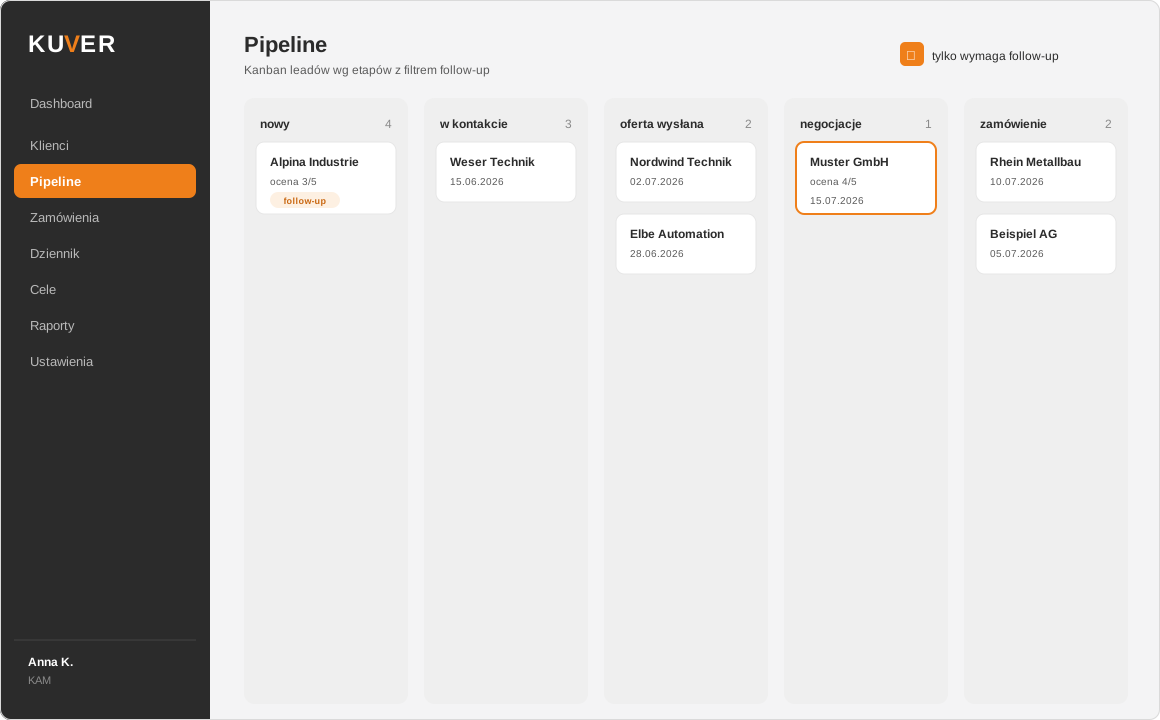
Illustrative screenshot - sample (anonymized) data.
- Orders - totals per month, quarter and year, an 'overdue payments' tab and reminders.
- Activity log - a monthly calendar with automatic totals; selected interactions feed the counters without double entry.
- Targets and tasks - progress calculated automatically from the data, including the monthly revenue target.
- Weekly PDF report - generated on demand and automatically (on a schedule), in the client's branding.
- Management panel - a separate, 'view-only' screen behind a single password, with a complete overview: today / month / year, revenue target progress and activity charts.
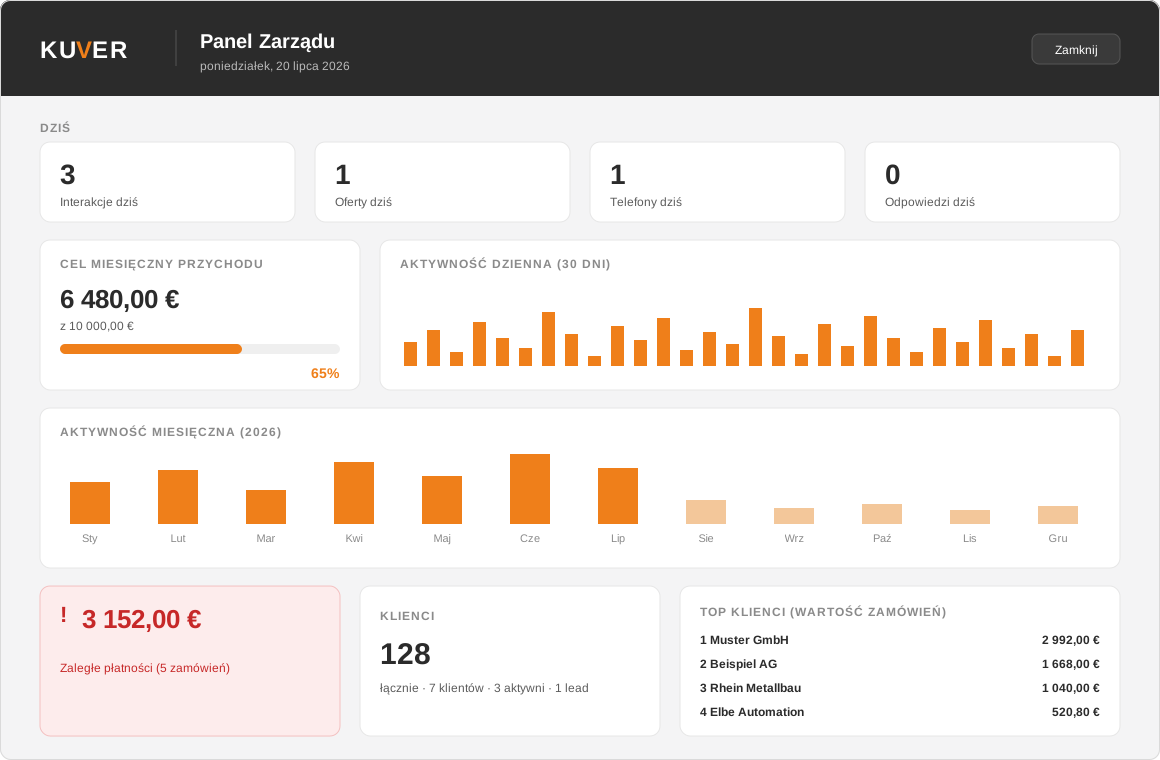
Illustrative screenshot - sample data, not real client data.
Technologies
We chose the stack for security, fast delivery and low maintenance costs:
- Frontend and backend: Next.js (App Router), TypeScript
- Database, auth, storage: Supabase (PostgreSQL + Row Level Security, EU hosting)
- UI: Tailwind CSS + shadcn/ui, in the client's visual identity
- PDF reports: `@react-pdf/renderer`
- Hosting: Vercel (SSR + recurring jobs / cron)
Security and compliance: Row Level Security at the database level (data isolation), user roles (KAM / manager), preparation for RODO (GDPR) (export and permanent deletion of client data) and hosting in the EU region. More on how we approach data protection: Data security in an application.
Results
- No more Excel in daily work - one consistent source of data.
- Zero manual summing - daily, monthly and yearly aggregations calculate themselves.
- History and chronology of contacts instead of a single text field.
- Automatic weekly report in PDF, ready to send.
- Insight for management without logging into the system - one screen, one password.
- Historical import - 100% of existing clients and orders migrated from the spreadsheet, with a list of items to verify.
"The CRM app looks great, brilliant automation and simplification of the work, really excellent. The manual is clear and helpful too. Thanks so much!!" - Paulina, system user
For us this is the most important metric: a tool someone genuinely wants to use, because it simplifies the work rather than adding yet another chore.
Want a similar solution?
We turn diverging spreadsheets and manual processes into dedicated, secure web applications - tailored to your process. If your team 'lives in Excel', let's start with a conversation about what can be automated for you. See also when it actually pays off to migrate from Excel to a dedicated system and how a dedicated B2B CRM differs from an off-the-shelf product.
Get in touch - we'll show you what can be simplified in your sales process.
Let us turn it into a working app.
Free consultation and a quote within 48h - no obligations, with clear ranges.